Saturday, 26 April 2014

brotmap - precomputing the Mandelbrot set

I’ve not written a blog post for ages. Maybe sporadic posts are inevitable. Anyway, here’s one which has been sitting in draft form for a couple of years ago and I’ve just managed to drag it up-to-date.

tl;dr Compute and store high-resolution sampling of the Mandelbrot set, in a way which can be incrementally updated (e.g. to increase maximum iteration count) and is independent of any image which can then be generated from it.

I’ve been somewhat fascinated by fractals for over two decades now (that makes me feel old :-) ), and the Mandelbrot set is both common and relatively easy to understand and program. I’m not going to go into details here - take a look at the Wikipedia page.

The usual thing with Mandelbrot plotters is to evaluate the Mandelbrot set over a given area of the complex plane and render the result as a colourful picture. Depending on the hardware, area selected, and precision, this can take from milliseconds (rough rendering on a GPU) to many hours. But however long it takes, the typical process is to re-evaluate it in real time, each time. I’ve done an example of that in JavaScript here. There are many others in all sorts of programming languages.

brotmap is a bit different - it’s thinking about the question “What if we pre-calculated and stored the Mandelbrot set, to a sensible degree of accuracy, such that we could render images from the pre-calculated version?”

An analogy could be a sampling synthesizer. The work required to produce a tone from a sampler is considerably less than from a complex synth. Back in-the-day (two decades ago) I would pre-generate tables of sines for graphical plasma effects and so-on, because a table lookup was much faster than a sin(x) calculation even on a top-of-the-range 486. Today that would be crazy; memory is the bottleneck today, and table lookups of just about any sort are to be regarded with suspicion.

But that is exactly the point and purpose of brotmap. Its grand but insane idea is this: let’s precalculate the Mandelbrot set. (Well, actually the point and purpose of brotmap is to have a play around and maybe try out some new (or not-so-new) things along the way, but that’s not very profound).

There are a couple of things which needed to be decided before we go off and do such a silly thing. What are the input parameters? What is the end result? Starting with the output format, a coloured image isn’t much use to anyone; we need a something lower level. What we really want is an iteration count at bailout; that is what the colours in funky fractal images are based on anyway. By storing the iteration count, we can apply any colour map we like at a later point, or turn the map into a 3D height map, or anything else which may or may not be interesting.

On the input side, we need to specify the area we are interested in, the resolution, and the maximum iteration count. A square area from –2..+1 on the real axis and –1.5..+1.5 on the imaginary works well as a outer boundary, and the resolution can be as high as we like. For performance and accuracy we want each point to be accurately representable by a floating point number, so brotmap uses a step size of 2-n for some n.

There is no point having high resolution if we don’t also have a high maximum iteration count. One key ‘feature’ of brotmap is that it allows incremental increases in iteration count. If a map is made with a MAX_ITER count of 1024, then the work generating that map can be reused by using it as a starting point in further iterations. To achieve this, not only is the iteration-count-at-bailout stored for each point, but also (for points which have so far not reached bailout), the current value of the complex number in the iterative calculation. To prevent precision loss, these are stored as a pair of double precision numbers (2x8 bytes per point). But if the point is definitely not in the M-set, then we no longer need that information - just the iteration count.

Anonymous unions to the rescue

These maps clearly get rather large. At a step size of just 2–10, there are 3*3 (the image area on the complex plane) * 210 (the number of points per unit in each row) * 210 (the number of rows per unit) = 9.5 million points. And each of these has to store a good few bits of data - at least two double precision floating point values for points which could still be found to be in the M-set, and the bailout iteration count for those that have been excluded from the set.

Since we only care about either the current iteration values of re and im, or the number of iterations at which we exceeded our bailout condition, we can use unions to store both sets of information in the same space. But we also need a way of determining which type of data each point contains. Fortunately, IEEE754 floating point comes to our rescue here, because there are some special bit patterns we can use as sentinels - they will never appear in the course of (our) floating point evaluations, but we can set them and detect them. Amongst these values are the NaNs. Not-a-Number values allow us to use one of the pair of double floats to indicate that the point is outside the M-set, and that the other value should be treated as an integer iteration count.

struct pinfo {
    double x;
    union {
        double y;
        long itercount;
    };
};

One of the great things about C++ is support for anonymous unions. That union in the pinfo struct? No name. Anonymous, you might say. These types allow operations to all members of the union to be transparent - nothing in the code needs to know the structure even is a union.

To make the point clearer, the pinfo struct could have looked like this instead:

struct pinfo {
    double x
    double y;
    long itercount;
};

and nothing else in the code would have to change, except that we would be using 50% more storage (assuming the size of a long is also 8 bytes, typically true on 64 bit machines).

OK, so we have a basic input spec, output spec, and the M-set calculation itself is straightforward. But we’ve still got to write out gigabytes or more of data for anything interesting. We don’t want messy IO code cluttering up the rest of the code, do we?

mmap to the rescue

mmap is awesome. It’s not the easiest API to setup and clean up, but neither is it difficult, and in-between these steps it gets out of your way. Like totally-invisible out of your way. I can imagine that using it with a 32 bit virtual address space would be a pain, as you’d have to continually re-map different sections of a large (multi-gigabyte) file into the limited address space, but with a 64 bit VAS, it feels like magic. That structure of millions of 16 byte points? Wave a wand, and it’s backed by a file. No read operations, write operations, anything else at the user level. No stdio buffering, flushing, seeking. Just the C(++) memory model, and the OS does the rest. It feels like cheating - and maybe it is to use it like this - but remember this is a crazy pointless program, right?

pthreads to the rescue

Mandelbrot calculation is a trivially parallelizable problem. And I have multiple cores in my machine (only two, but…), so it would be nice to get a speedup from them. Sadly I’m more than a little late to this party. The C++11 standard has got threading support, and I’ll use this as an opportunity to learn that later, but for now I’ve learnt a minimum of pthreads coding to get this working. It’s simple enough; use pthread_create to create each thread, and have a mutex lock around shared data.

Rendering the data

Of course, this wouldn’t be much fun without actually being able to have some visual representation of the output, so make_ppm is a separate program which reads the data files and outputs a PPM file rendering the M-set in basic greyscale. Colour maps can wait :-)

Note I’m just using PPM as a lowest-common-denominator file format. It’s trivial for this sort of thing, though it does produce large (uncompressed) files, taking 3 bytes per pixel.

pnmtopng will convert a PPM file to the more useful png. (pnmtopng is part of netbpm - available for most Linux distributions or as part of homebrew for Mac, though ppm2tiff seems to be pre-installed on Mac and will suffice).

Running it

The code for brotmap is available on bitbucket, or github if you prefer that.

The makefile includes a target which will build and display the output (subject to dependencies - tested on Linux & Mac OS X with netpbm installed):

make show

This will compile the two programs (brotmap and make_ppm), and then run things (ignoring directories etc) as follows:

./brotmap mandel.dat 10
./make_ppm mandel.dat out.ppm
pnmtopng out.ppm > image.png
open image.png

This computes a set of data for a 3072x3072 sampling of the Mandelbrot set, then renders a PPM file from it, converts to a more friendly format, and then (hopefully) displays it on-screen.

brotmap takes two arguments: the target filename, and a ‘binary digits’ value, dictating the resolution of the computed filename. Note the output filenames will be large:

bit_size res (x*y) points file size
10 3072 9437184 144 MB
11 6144 37748736 576 MB
12 12288 150994944 2.3 GB
13 24576 603979776 9.2 GB
14 49152 2415919104 36.86 GB
15 98304 9663676416 147.5 GB
16 196608 38654705664 589.8 GB

The default which various Make targets use is a binary size of 10. 12 is fairly quick, and I’ve tried 14 once or twice.

make_ppm takes two arguments; the input file generated by brotmap, and the output file which will be in PPM format (subformat P6).

See an example png (a 12288x12288 resolution greyscale image here - though note it may stress your browser slightly. This is computed to an iteration count of 4096, with binary digits of 12. Note that the 2.3 GB source data for this result in a PNG file of only 4 MB…

A smaller example (binary digits of 10) is here.

What’s next?

  • Better command line parsing (e.g. for iteration count, step size…) - there’s some in there, but it’s very crude.

  • Incremental spatial updates - incremental updates based on iteration count are nice, but what’s really needed are incremental resolution increases. It should be possible to increase resolution by a factor of two in each direction by keeping the current set of data as one of the four points being evaluated for each of the original points, so doubling the number of points takes the same amount of time as the previous round (assuming that data is available). It might make sense to completely change the structure of the data in memory / on-disk to support this operation.

  • C++11 based concurrency - it won’t get much new, though I’ll get round to automatically working out the appropriate number of threads to use.

  • Use of mmap-based IO in make_ppm as well as brotmap. Again, won’t get anything new, but will clean things up.

  • Improvements to make_ppm - it should be possible to pull out a small section of the data and only render a selected area. Selectable colourmaps (something other than grayscale) would be nice too.

  • Distributed parallelism - this is a major step up in terms of complexity, but definitely doable. I like to keep things low-level and primitive (and yet still portable - that’s what POSIX is all about), so I’ll probably do something socket based first, or maybe zeromq…

  • Improved performance per core - the M-set calculation per point is very basic, with a single optimisation that it knows that points within the major circle and cardioid are within the M-set. Further optimisations could be to use SIMD parallelism (SSE3).

  • Smooth colouring; most mandelbrot plotters don’t just use a simple iteration count - colour mapping, but compute some ‘distance’ factor from which to derive the colour.

Saturday, 13 July 2013

Twisted Network Programming Essentials book review


Twisted Network Programming Essentials by Jessica McKellar & Abe Fettig (O'Reilly Media) gives an introduction to Twisted, a Python framework devoted to event-driven programming, and particularly it's application to networking. The book covers both high level general concepts of Twisted, as well as detailed examples covering some of the protocols Twisted supports, including my particular interests of HTTP and SSH.


In common with many technical books, things start slowly with a chapter on installation which (IMO) would have been better relegated to an Appendix. I like a technical book to start with motivating examples followed by an overview of the technology, and that's exactly how the second chapter 'Building Basic Clients and Servers' works - it is a really good introduction, describing Twisted's core architectural separation of Transports, Protocols, and the Reactor, with some solid introductory examples (including the obligatory echo server).

The next chapter, 'Writing Asynchronous Code with Deferreds', is slightly disappointing. According to the preface, this is a new chapter in the second edition (I've not read the first), and it certainly describes 'How' to use Deferreds, but I would have appreciated more on the 'Why' - the examples are contrived demonstrations of how things work, rather than demonstrating any real use. The chapter opens by stating 'Practice will help you develop an intuition for how to structure asynchronous code', which is undoubtedly true. But this chapter won't - and I'm not sure whether it's the book or Twisted that's at fault here. Again, maybe an appendix would have been more appropriate for this content, so the use could be seen in realistic examples first?

The remainder of the book covers a variety of protocols (HTTP, Mail, IRC, SSH) and various deployment and best practices, including authentication, integration with databases, and concurrency. The section on deployment was particularly useful, and I enjoyed learning about (and using) the range of features available 'out of the box' in the twistd program. The use of Twisted's 'manhole' functionality to provide Python shell access to a remote program over SSH was also a highlight.

Although the book hasn't yet motivated me to start using Twisted regularly, I do feel I now understand the basic approach and could apply it to the sort of tasks (primarily HTTP servers and clients) I'm interested in. The only things I think could have been improved would be to move chapters 1 & 3 to appendices, and some consideration about how Twisted fits into both the Python and wider event-driven world - to answer the question of why and when I should use Twisted rather than NodeJS or gevent, or for example how Twisted's deferreds compare to Python's own concurrent.futures, or Javascript's promises.

If you already know you are going to be using Twisted, but feel slightly apprehensive about it, I think this is an excellent place to start.


Thursday, 2 May 2013

The Dynamics of Catching Exceptions in Python

In which I discuss dynamism in catching exceptions - something which took me by surprise and could hide bugs - or enable fun...

The Problem Code

The following code - abstracted just slightly(!) from production code - looks perfectly good. It's calling a function to get some statistics and then process them in some way. Getting the values in the first place involves a socket connection, which could fail with a socket error. Since statistics aren't vital to the running of the system, we simply log the error and move on.

(Note I'm using doctest to check this article - this is representative of a script doing real things!)

>>> def get_stats():
...     pass
...
>>> def do_something_with_stats(stats):
...     pass
...
>>> try:
...     stats = get_stats()
... except socket.error:
...     logging.warning("Can't get statistics")
... else:
...     do_something_with_stats(stats)

The Find

Our tests didn't find anything wrong, but actually paying some attention to our static analysis reports showed a problem:

$ flake8 filename.py
filename.py:351:1: F821 undefined name 'socket'
filename.py:352:1: F821 undefined name 'logging'

The problem with the code was that the socket and logging modules weren't imported in the module - and we clearly weren't testing for that case. What surprised me was that this didn't cause a NameError up front - I had assumed that exception clauses would have some eager name lookup - after all, if it needs to catch these exceptions, it needs to know what they are!

It turns out not so much - except clause lookups are done lazily, only evaluated if an exception is raised. Not only are the name lookups lazy, but the 'argument' of an except statement can be any arbitrary expression.

This can be good, bad, or just downright ugly.

The Good

Exception specifications can be handed around as any other values. This allows dynamic specification of the exceptions to be caught.

>>> def do_something():
...    blob
...
>>> def attempt(action, ignore_spec):
...     try:
...         action()
...     except ignore_spec:
...         pass
...
>>> attempt(do_something, ignore_spec=(NameError, TypeError))
>>> attempt(do_something, ignore_spec=TypeError)
Traceback (most recent call last):
  ...
NameError: global name 'blob' is not defined

The Bad

The downside of this dynamism is that mistakes in exception specifications often won't be noticed until it's too late - when the exception is triggered. When using exceptions to catch rare events (failure to open a file for writing for example), unless there is a test for that specific case, it won't be known until an exception (any exception) is triggered, at which point a check kicks in to see whether an exception matches, and causes an error all of its own - typically a NameError.

>>> def do_something():
...     return 1, 2
...
>>> try:
...     a, b = do_something()
... except ValuError:  # oops - someone can't type
...     print("Oops")
... else:
...     print("OK!")   # we are 'ok' until do_something returns a triple...
OK!

The Ugly

>>> try:
...    TypeError = ZeroDivisionError  # now why would we do this...?!
...    1 / 0
... except TypeError:
...    print("Caught!")
... else:
...    print("ok")
...
Caught!

The exception specification needn't just be a name lookup - arbitrary expressions also work:

>>> try:
...     1 / 0
... except eval(''.join('Zero Division Error'.split())):
...     print("Caught!")
... else:
...     print("ok")
...
Caught!

Not only can the exception spec be decided at run-time, it can even use the active exceptions' information. The following is a convoluted way to always catch the exception which is being raised - but nothing else:

>>> import sys
>>> def current_exc_type():
...     return sys.exc_info()[0]
...
>>> try:
...     blob
... except current_exc_type():
...     print ("Got you!")
...
Got you!

Clearly this is what we are _really_ looking for when we write exception handlers, and this should immediately be suggested as best practice :-p

The (Byte) Code

To confirm how it appears that exception handling works, I ran dis.dis() on an exception example. (Note the disassembly here is under Python2.7 - different byte code is produced under Python 3.3, but it's basically similar):

>>> import dis
>>> def x():
...     try:
...         pass
...     except Blobbity:
...         print("bad")
...     else:
...         print("good")
...
>>> dis.dis(x)  # doctest: +NORMALIZE_WHITESPACE
  2           0 SETUP_EXCEPT             4 (to 7)
<BLANKLINE>
  3           3 POP_BLOCK
              4 JUMP_FORWARD            22 (to 29)
<BLANKLINE>
  4     >>    7 DUP_TOP
              8 LOAD_GLOBAL              0 (Blobbity)
             11 COMPARE_OP              10 (exception match)
             14 POP_JUMP_IF_FALSE       28
             17 POP_TOP
             18 POP_TOP
             19 POP_TOP
<BLANKLINE>
  5          20 LOAD_CONST               1 ('bad')
             23 PRINT_ITEM
             24 PRINT_NEWLINE
             25 JUMP_FORWARD             6 (to 34)
        >>   28 END_FINALLY
<BLANKLINE>
  7     >>   29 LOAD_CONST               2 ('good')
             32 PRINT_ITEM
             33 PRINT_NEWLINE
        >>   34 LOAD_CONST               0 (None)
             37 RETURN_VALUE

This shows the 'issue' with my original expectations. Exception handling is done exactly as it 'looks' in the Python itself. The setup doesn't need to know anything about the subsequent 'catching' clauses, and they will be completely ignored if no exception is raised. SETUP_EXCEPT doesn't care what happens, just that if there is an exception, the first handler should be evaluated, and then the second, and so on.

Each handler has two parts: getting an exception spec, and comparing it to the just-raised exception. Everything is lazy, and everything appears exactly as you might expect from just looking at the code line-by-line, thinking about things from the point of view of a naive interpreter. Nothing clever happens, and that's what suddenly makes it seem very clever.

Summary

The dynamism of exception specs caught me by surprise slightly, but it has some interesting applications. Of course actually implementing many of those would probably be a bad idea ;-)

It isn't always intuitive how much dynamism certain Python features support - for example it isn't obvious that both expressions and statements are happily accepted directly in class scope (rather than function, method, or global scope), but not everything is so flexible. Although (I think) it would be nice, expressions are forbidden when applying decorators - the following is a syntax error in Python:

@(lambda fn: fn)
def x():
   pass

Here's a final example of playing with dynamic exception specifications to only propagate the first exception of a given type, silently swallowing repeated exceptions:

>>> class Pushover(object):
...     exc_spec = set()
...
...     def attempt(self, action):
...         try:
...             return action()
...         except tuple(self.exc_spec):
...             pass
...         except BaseException as e:
...             self.exc_spec.add(e.__class__)
...             raise
...
>>> pushover = Pushover()
>>>
>>> for _ in range(4):
...     try:
...         pushover.attempt(lambda: 1 / 0)
...     except:
...         print ("Boo")
...     else:
...         print ("Yay!")
Boo
Yay!
Yay!
Yay!

Thursday, 3 January 2013

New pylibftdi release - 0.11

'pylibftdi' is a library for talking to FTDI devices via the libftdi library. FTDI make a wide range of chipsets and modules for interfacing to a number of protocols via USB, including 8-bit parallel and RS232 serial modes. They're a great way of interfacing to other electronics from your computer.

I've just released pylibftdi 0.11. I'm at the point where I'm looking at getting to RC and then stable status, which I'll release as 1.0 - at which point the API will be considered stable. While it isn't yet, I've taken the opportunity to tidy a couple of things, as well as add some improvements.

Raspberry Pi support; better documentation

Though it worked previously, I've taken the opportunity to test it a bit on Raspberry Pi, and I've updated the docs describing udev rules which allow access to the devices without needing sudo / root access. I think this is now a good option if you want a bidirectional 8 bit port for your Raspberry Pi, and it's certainly lower risk of damaging your Pi than using the GPIO pins directly.

BitBangDevice changes

The new latch property

BitBangDevices provide a simple abstraction of a parallel IO device; a 'direction' property which controls which line is an input or output, and a 'port' property for the actual reads and writes. This is based on systems going all the way back to the BBC micro user port and earlier. direction maps to the 'Data Direction Register' of the Beeb, the 'TRISx' register of the Microchip PIC, and so on. port maps to the 'data' register of the Beeb, or the PORTx register of the Microchip PIC. Just as the PIC18F series introduced the 'LATx' register, so too does pylibftdi 0.11 introduce the latch. Read the documentation for more information - in most cases you simply don't need to care about this.

Initialisation

If a physical FTDI device is not reset between program runs, then it retains its output register state; a pin set high in one run of the program would still be high when the device was opened in a subsequent program run. Prior to pylibftdi v0.11, this was not taken into account, and the assumed state of all output pins was that they were at the reset state, i.e. all low. This meant that operations such as read-modify-write on port bits would not reflect the current state, as they do not do a read based on the output state of the port, but based on the internal view of what output values are set to.

With the change, the following will work as expected:

$ python
>>> from pylibftdi import BitBangDevice
>>> bb = BitBangDevice()
>>> bb.port |= 1
>>> ^D
$ python
>>> from pylibftdi import BitBangDevice
>>> bb = BitBangDevice()
>>> bb.port |= 2
>>> ^D

Previously, the final state of the device pins would have been '2'; the read-modify-write implied by |= 2 would have used '0' is its 'read' source, and have output '2'. The new code initialises the internal latch state to the value read from the pins (it's possible to read the actual state of output pins as well as input pins). With the latest version, the final state of the pins after the above will be '3' - both D0 and D1 set high.

API changes

I've always said in the README for pylibftdi that the API won't be stable until version 1.0, and I've changed two parameters only introduced in 0.10.x to have clearer names.

The following two parameters to the Device constructor have changed name:

interface -> interface_select
I considered interface too generic and unintuitive here. The values and behaviour for this parameter (which selects which interface to use on a multi-interface device) haven't changed.
buffer_size -> chunk_size
This is the maximum number of bytes which will be written / read at a time in read/write calls to the libftdi library, designed to ensure we are regularly executing at least some Python byte code, which we can then interrupt (timely Ctrl-C interruption is the primary use-case for this parameter). It was never about buffering, so I've changed the name to reflect this.

Other changes

The bit_server example now works properly; this can be run as:

$ python -m pylibftdi.examples.bit_server

and will start a basic CGI-based web server, open a web-browser talking to it (on port 8008 by default), and allow you to control the state of each of the 8 output lines on the connected device (which it sets to async bit-bang mode).

This will be further developed in the future - it looks somewhat rough right now :)

The led_flash example has also gained a feature in taking a command line argument of the rate at which to flash - defaulting to 1 Hz. To cause an LED (or a piezo buzzer works just as well - and more annoyingly!) to flash at 10Hz, run:

$ python -m pylibftdi.examples.led_flash 10

Coming next

I'm still trying to improve test coverage. I spent some time trying to port the tests to the Mock library, though my efforts at effectively patching at the ctypes DLL level weren't very successful.

Documentation continues, and thanks to the wonderful readthedocs.org, the documentation isn't necessarily tied to the more sedate release cycle - it always shows the latest version from Bitbucket. If more API changes happen this could be counter-productive, but I'll try really hard to note if this is the case, and it makes things much nicer when updating things like installation instructions (which I have done, adding tested udev rules instructions etc).

libftdi 1.0 is just going through release candidate stage at the moment, so I'll test against that. I expect only the installation docs will need changes.

I've never tested pylibftdi on Windows, and I'm keen to do this in the near future, though I don't have regular access to a Windows machine, so no guarantees about this. I suspect it all 'just works'...

Thursday, 4 October 2012

Typing to Yourself

I had an awesome time at PyConUK last weekend. I went to my first code dojo where I helped write a text-based adventure game (with a disturbing plot!), played with using Python on a RaspberryPi to access the GPIO, started a new Python module for my own use, and gave my second ever lightning talk, titled ‘Typing to Yourself’. This is 'the blog of the talk'.

What's this about then?

I’d started finding that IM chat logs often gave a lot of information, and often the timestamps were useful. The conversational nature of the chats also often gave subtle and useful clues about things such as confidence levels which a more formal report would lose. I started to think that it would be worth having that even if I wasn’t chatting to someone else. And so the madness started….

Typing to yourself. About stuff. Preferably as it happens, in ‘real time’ (is there another kind?). I suppose some people use Twitter like this, but I (and I'm sure my employer) like it that I keep at least some things to myself.

I've been doing this for a few months now, and got a single file with about 1300 lines of info I've been writing. Originally I cleared it out every few days, but then thought that maybe keeping it all around would be of some benefit.

Why Type to Yourself?


Record snippets of new knowledge

There are hundreds of small things I’ll find out about and then not look at again for 6 months. And chances are, I’ll forget all about them. It’s worth recording that sort of stuff. Things like pv, a new and useful iptables rule, the name of a nice vim colour scheme.

Decouple recording from reporting

Part of a knowledge-based job, where part of the task involves continual learning and researching, is that there is always the risk of going off into some blind alleys, dead-ends, or things more interesting than what you / I should really be working on. Chances are, even if it’s tangential to the work you / I should be doing, it’s still useful in itself, and worth recording. If I’ve just spent half an hour reading about ZeroMQ, I’ll include that. I might not record it in a list of training activities for the week though. It defers disclosure, allowing selection to take place at a later point. And therefore encourages more interesting and accurate reporting. By separating out recording from (for example) time reporting systems, we can post-process and filter that raw data later. Same thing as RAW and JPEG files from a camera; it’s not a bad thing to have the RAW data even if the end result is somewhat different. We are likely to be more honest if we type to ourselves, including feelings, distractions, etc, some of which will be useful at a later point.

Record why decisions were made

We make dozens of design decisions every day, and the vast majority of these seem obvious at the time. But there are some that aren’t ever obvious, and some that won’t be tomorrow even if they are now. Recording why we make the choices we do is important, even if just to force us to make them consciously. And it can be very useful to document dead-end design decisions which we try and ultimately give up on, in the hope of avoiding repeating them in the future.

Overcome creative blocks

Writer’s block affects programmers as well as novelists. Or at least it affects me from time to time. Sometimes I sit there for minutes on end, simply staring at the screen. I’ve found that explaining my dilemma to myself through the medium of typing to myself can often overcome this. Sometimes any activity can be a key to being able to think clearly about a problem again. Not only that, but regularly writing down what you're doing can be a great antidote to distraction and procrastination. This comes back to being able to be honest with ourselves about what we're doing - writing this down makes us think about it, be able to criticise it, and therefore more quickly be able to change direction.

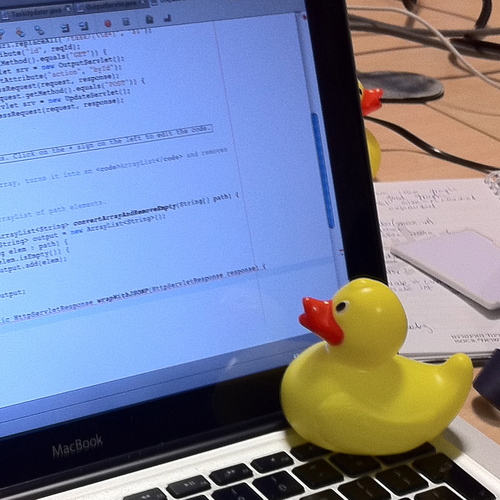
Rubber duck debugging

© Tom Morris / Wikimedia Commons / CC-BY-SA–3.0 / GFDL

This is a technique which uses vocalisation of a problem we’re facing to make us think more clearly about the problem; to take a step back, and explain to a toy rubber duck - ideally one with no previous knowledge of the problem we’re facing - what’s going on and how we’re trying to fix it. Just explaining it often helps us realise the problem. But rubber ducks are tricky to find at the crucial moment, and people think programmers are mad enough already without seeing us all talking to little ducks sitting on our desks. No, typing to ourselves, writing down the problem, is clearly much safer. After all, a programmer writing down a problem to themselves looks highly productive, rather than slightly mad.

Searchable history

We version control our code. Why not version our thoughts and activities? Write stuff down. Be able to go back in time and revisit those thoughts at a later date. Use it to store our short-term thoughts just before a meeting or break, so picking up where we left of is easy. That sort of stuff. Or to record surprising errors which we can’t reproduce and just put down to ‘something must have been set up wrong’. But then we start to find that we’ve already recorded it two months earlier…

How should I go about that?


Timestamped

Typing to yourself is an activity best done in real-time. Doing it later may still have some benefit, but the stream of consciousness brain-dump in the background has a lot of value which is lost if we’re just typing a historical report on what happened earlier. The point of typing to yourself is that having a record is useful; trying to remember stuff to record after the fact is lossy and a waste of time. Having things timestamped is a motivation (‘I’ve not written anything for 2 hours!’) and useful for searching history - finding out just when that bug appeared last.

Centralised

For a given context (e.g. work), there should be a single log on which you type to yourself. Perhaps there shouldn’t even be multiple contexts; everything should go in one big fat log. But it should be a single log, and yet available everywhere. Having to merge logs, or wondering where the latest version is, or knowing but not having access to it - all bad things. Dropbox is good.

Low friction

The whole point of ‘typing to yourself’ is that it shouldn’t be a context switch. I tend to keep a tmux pane open with editfile running (as track -t). Switching into it is just a case of Ctrl-A/cursor key. Then type stuff. Then Ctrl-A/cursor the other way. There’s no alt-tabbing, no windows changing focus or popping in front of each other. And importantly, I can see what’s there at all times, so it’s always in my consciousness - I don’t have to ‘swap it back in’ when I switch to it. Another aspect of low-friction is that the data itself should be widely available to programs to use, whether for searching, editing, or anything else. A text file is ideal.

An Implementation

I’m more keen about the ideas here than the implementation, but without an implementation it couldn’t work. I use my editfile program for almost all longer pieces of writing - blog posts, ideas, plans. And my ‘typing to myself’ log, which is just an editfile ‘instance’ used in ‘time track’ mode, which keeps a single file on Dropbox with all the content in a text file. I wrote about editfile in an earlier blog post. editfile started out as a very simple bash script:

#!/bin/bash
$EDITOR "~/Dropbox/editfile/$(basename $0)"

but is now a more complex bash script, including search, a two level hierarchy (I had that before iCloud decided it was a good idea!), command-line completion, and the time track mode I use for typing to myself.

The time-track mode has a couple of useful features - readline & history integration, and prompting and storing a timestamp. It’s not perfect; one of the key things is that the timestamp prompt doesn’t update in real time (although it does store the current time in the text file rather than the potentially out-of-date displayed time). The implementation of the time-track loop is the following:

now=$(date '+%Y/%m/%d %H:%M')
# read history from previous
history -r $HIST_FILE
while read -ep "$now >> " track_input ; do
    now=$(date '+%Y/%m/%d %H:%M')
    if [[ -z $track_input ]] ; then
        # don't store blank lines
        continue
    fi
    # use -- to indicate end to options e.g. if track_input
    # starts with '->' which previously caused errors
    history -s -- "$track_input"
    echo "$now $track_input" >> ${TARGET_PATH}
done
# append current session to history
history -a $HIST_FILE
# ensure bash prompt starts on a new line
echo

I use this every day at work, and it's got to the stage where I want to use it more. I've got plenty of ideas for things to integrate into my implementation, though the real essence of it doesn't need anything clever really.

Monday, 24 September 2012

Project Naming in a Google World

I’m a great fan of Python; not only do I think the language itself is clean and readable, the community polite and helpful, and the ecosystem diverse and fascinating, but also the Zen of Python resonates with me.

I think there is significant value in that ‘there should be one - and preferably only one - obvious way to do it’, and that ‘namespaces are one honking great idea’. To me, it is sad that this essence of Python philosophy isn’t applied more widely.

Of course there is an element of tension in the Zen - Namespaces are about nesting, but ‘Flat is better than nested’. Nevertheless, flat within namespaces isn’t the same as not having any namespaces at all.

Namespaces don’t exist in a Google world.

I bet that most project name searches on Google are a single word. ‘jquery’ would get me want I want. ‘requests’ gets me what I want. Even one of my own projects - ‘pylibftdi’ gets me where I want to go. Getting to this point is probably part of choosing a good name. But that’s exactly the problem: how do I choose a good name for my new project? It’s one thing already knowing what project I’m interested in and simply using Google to get me there (sometimes a language name qualifier helps, e.g. ‘python flask’), it’s quite another two problems a) searching for a project to meet a given problem, not knowing what might be available b) searching for a project name I can use for my shiny new thing.

Searchable Project Names

One of the technologies I use the most at work is SSH. I tend to use it mostly in a fairly crude way, via it’s normal client and server programs ssh and sshd with many configuration options, but I have used the paramiko library. Which works well, and has a great name - easily remembered, especially after reading about its etymology on the project page. And very easily searchable. Recently, however, it’s development has slowed. I read in some places that it is now ‘deprecated’, but I’m not sure about that - the github project was last updated 11 days ago as of now… Anyhow, recently it has been forked, and its ‘successor’, has the brilliant name of… wait for it… ‘ssh’. Yes, brilliant. No, actually, it isn’t that helpful. Search for ‘ssh’, and it obviously won’t be there, straightaway, on the first page. Search for ‘python ssh’, and it still won’t be there. I guess it might be in a few months or years once it (presumably) takes off as the ‘one way to do it’, but now? It’s not helpful. Maybe it’s only aimed at people who use the PyPI search engine? And even if / when it is ‘obvious’, it’s still going to be a pain to do web searches for problems relating to use of the package. If I want to know which to use, then ‘paramiko vs ssh’ is of no help. Is the new ssh module ‘preferred’ by the community going forward? Or is it just a random fork by the Fabric guys? Other than the download stats on PyPI, it’s difficult to tell, because searching for info about it is... tricky.

As another example, the pbs package has recently changed its name to sh. Now pbs might not be the bestest name, but changing it to sh causes exactly the same kind of problem as ssh. There can be a real feeling of ‘hijacking’ when something so domain specific is used for a general project name. Using such a name is a clear signal: this is the module you should want to use for this task - you’d would be crazy to try anything else! That may or may not be intended or justified, but when it is a trivial thing for anyone to do, we developers have to be very careful and deliberate. Domain-specific project names, with massively overloaded meanings, only make sense in a very defined namespace: in these cases, the set of Python packages on PyPI.

Except, in a Google world, there aren’t namespaces.

Finding a project name (or rather finding the absence of one)

One of the problems with project naming in a flat unified project namespace (because of course there is one namespace) is project name squatting. For a variety of reasons - good and bad - developers decide that ‘release early, release often’ is a good policy. And one of the first things needed for that first visible release - perhaps the only thing needed - is a project name. So names are snapped up in an eager race. Project names have become the new hot-property. So we have lots of great project ideas, which need and find an awesome project name, make that first release, … and then do nothing. Stagnate. Just like the dot-com crazy days, we have project-name squatting, and permanent project-name ‘under construction’ empty shells… And, like defunct satellites cluttering low-earth orbit, the debris of project names now unused is a danger to every other project, trying to find its own space and path through the knowledge-sphere, avoiding the no-man’s land which has been staked out and left barren, taking juicy spectrum in an interference causing blackout. Soon there will be no more names left and [Sorry, I seem to have got carried away. Ahem.]

So…?

The following are some more thoughts and examples. Most of this is subjective. Hurrah for being able to dump half-finished ideas in a well name-spaced environment!

Over-general names:

  • ‘node’ - really unhelpful.
  • ‘windows’ - key element in GUI programming. WIMP.
  • ‘dropbox’ - to a certain extent.
  • ‘color’ - remember them? Good thing they didn’t take this word away…
  • ‘word’ - a tool for writing words?
  • eliminate a name not just from the project namespace, but increasingly from the word namespace.
  • makes web searching harder

Unpleasant / generally bad names:

  • git
  • gimp
  • My[anything] ;-)
  • Any number of ‘offensive’ or ‘wrong connotation’ names, often leading to name changes, which help no one, except in an ‘any publicity is good publicity’ kind of way:

Duplicate projects with the same name:

Create or recognise our own namespaces:

  • blog articles: author + title
  • PyPI / CPAN etc
  • ‘hungarian notation’ e.g. pyxyz, where the ‘py’ prefix includes some indicator of what namespace it lives in.
  • domain name country code extensions - ‘.io’ etc
  • ‘file extension’ as part of project name: ‘node.js’ etc
  • identification by company or organisation: iOS / iPod / i*, gmail, google maps, etc
  • identification by well-known patterns: xUnit, [j/py]Query etc.

Summary

If I were to produce a new vacuum cleaner and call it ‘Vacuum’, then various people might get upset. We (in software development) don’t really want to have to deal with all the legal & trademark clutter - the fact that we can have an idea, create a project and ‘market’ it all in a weekend is awesome, but requires us to act responsibly. Just because we can launch a new project into the orbital (name)space around us, doesn’t mean we must. Though it is awfully tempting… In addition we need to recognise, use, and educate ourselves and others about the namespaces all around us.

So I guess what I’m really saying, is (to quote Tim Peters)...

Namespaces are one honking great idea - let’s do more of those!

Sunday, 10 June 2012

pylibftdi v0.10 released

I’ve recently released pylibftdi v0.10. pylibftdi is a ‘minimal Pythonic interface to libftdi’, and is intended to be (possibly?) the easiest way to get up and running for simple use cases of FTDI’s range of USB to serial and parallel interface chips and modules. v0.10 adds a couple of new features and bug fixes.

For a long time I suffered under the misapprehension that version numbers should follow the rules of decimal numbers, and that by all reasonable accounts v1.0 should have followed 0.9, and since I want(ed) 1.0 to be ‘stable’ (I currently classify it as ‘beta’), I’d reached an impasse. I can’t remember the exact moment, but I had a realisation that I didn’t have to approach 1.0 via smaller and smaller increments from 0.9 (as in Zeno’s race), but that I could go from 0.9 to 0.10. Anyway, I still want to do better documentation (and a few other things) before reaching 1.0.

Changes in v0.10:

  • Running the unit tests is now easier due to some reorganisation - just run python -m unittest discover in the top level directory.

  • Support for the FT232H device - this has a different USB product ID (PID) to the previous devices I’d been testing with and using - mainly FT245BM/RL, FT232R/RL. All those devices have a PID of 0x6001, while the newer FT232H has a PID of 0x6014. I experimented for a while with having (defaulted) extra parameters for specifying the VID and PID of the target device, but this pushed too much complexity up to the user - I really want pylibftdi to be something which can be used with default options and next-to-no set up code for most basic operations. The approach taken is to have two lists (USB_VID_LIST, USB_PID_LIST) and have the device finding code iterate over the cartesian product of these (i.e. a nested loop, but implemented through the wonderful itertools.product). So adding new PIDs in the future is as simple as appending to USB_PID_LIST, and a device can be opened with no parameters to the Device() constructor if it’s the only FTDI device on the USB bus.

  • Resetting the device to serial mode on open. There’s been discussion about implementing this logic in the library on the libftdi mailing list, but doing it in pylibftdi as well doesn’t hurt. This fixes the unexpected condition that if a previous application had used a device in BitBang mode, reopening it just using Device() would leave it in BitBang mode, rather than the expected serial mode (for devices which have support both).

  • Added a ‘buffer_size’ parameter to the Device() constructor (defaulted to zero, which retains previous behaviour) which chunks reads and writes into accesses of that length at most. This avoids the issue that a call of (for example) dev.write(‘hello’ * 100000) over a 9600 serial link would take an incredibly long time, and since it is all running in the library context (via a ctypes call), it wouldn’t be interruptible by Ctrl-C.

  • Removed the deprecated use of Driver() to be a synonym for Device().

  • Update: I've already done two maintenance releases in the hours since originally writing this - v0.10.2 is now current. One of the major changes is that the examples subpackage is now included in the sdist - so python -m pylibftdi.examples.led_flash should work if you have an LED attached to D0 on your device.

The plan for the next release is just more tidy-ups, examples and more documentation, but I might squeeze a few other things in there…

Friday, 8 June 2012

My First 3 hours with a Raspberry Pi

My Raspberry Pi arrived a couple of weeks ago, but I've been too busy to play with it til now. And tomorrow I'll be too busy with different things :-)

I'd intended to put Arch Linux on it, since that's what I use on my Pogoplug, and it works really nicely there. But, starting at the downloads page (http://www.raspberrypi.org/downloads) I decided that since the Debian install seemed to have some 'official'ness about it, I'd start there. It pointed to http://elinux.org/RPi_Easy_SD_Card_Setup, which contains a list of 'lazy/easiest/easy/...' and so on approaches to getting a card set up.

A link on that page led to a Mac-only (for now) script which downloads and writes an image to an SD card all in one operation - nothing too difficult to do manually, but I'm not one to ignore easy options. Mostly. http://exaviorn.com/raspiwrite/

I'd bought a Sandisk Extreme 8GB SDHC card - which is on 'the list' by the way - for use with my RPi. I ran the RasPiWrite script firstly with Debian, then Arch Linux. Neither worked. No 'OK' LED, only the red Power LED. Somewhat disappointed. As a side-note, the RasPiWrite script worked better if I reformatted (standard FAT) the card between attempts; otherwise it initially considered selecting my external hard drive, which wasn't great - but it did warn and I was aware, so no worries (for me) there.

I then wondered what the OK LED was supposed to indicate, and read (here: http://www.raspberrypi.org/phpBB3/viewtopic.php?f=28&t=6735) that it should be expected to at least flicker a little on power up - and it wasn't. I had another SDHC card (an old Transcend 4GB SDHC Class 6) and decided to try that. After re-runninge RasPiWrite on it with Debian again, ... the OK light did stuff! It appears to be an SD access light - this wasn't mentioned anywhere I noticed - but it isn't just constantly on when the system is booted, but flickers on activity. So I was sure it was finally booting. I'd read a bunch of things suggesting that as well as dodgy SD cards, flaky PSUs could be a fault, but the two I used (a Blackberry phone charger and an iPad charger) both worked fine in the end.

Sadly however, there was no output on HDMI, butfrom my router's DHCP client list that it was taking a lease. A quick OUI scan showed the Raspberry Pi foundation as the owner of a new MAC in the table :-) I'd foolishly assumed ssh would work out of the box, but nmap showed just port 111 open. Following the instructions here (http://www.youtube.com/watch?v=SmMMKojOE4U) to enable SSH worked great. (Basically 'ssh-keygen; service ssh start; update-rc.d ssh defaults' as root), and I could ssh in! Hurrah!

After reading a few places that sometimes the RCA could work even if HDMI didn't, I found an RCA-SCART adapter and magic - it was actually doing stuff! Finally, after searching and finding http://elinux.org/R-Pi_ConfigurationFile and http://www.raspberrypi.org/phpBB3/viewtopic.php?f=28&t=6762 I got HDMI working by (while logged in over SSH) by creating a /boot/config.txt file (there wasn't an old one) containing the following:

config_hdmi_boost=4
hdmi_force_hotplug=1

And that was it - task accomplished.

Since it's listed in the 'working SD card' list, presumably more recent kernels might work with the bigger / faster card I bought for the purpose of running my RPi; IMO it should be a priority to keep images on the downloads page current - containing latest kernels supporting as wide-a-range of SD cards as possible. I'm sure many have fewer hassles than me, and equally sure many have had many more problems. But for this whole endeavour to really work, it needs to get easier. Is RPi about teaching programming, fun, and 'computing', or about the harsh realities of embedded Linux? Fortunately there is an awesome community which I'm confident will keep pushing things forward - thanks!

Monday, 7 May 2012

urlsearch - web searching from the command line

Continuing my pursuit of having a custom vocabulary on my command line, preferably via argv[0] abuse, I've now addressed the subject of web searching. I probably make somewhere between 20 and 50 searches in a typical day, mostly on Google, but Wikipedia comes high up on the list too.

urlsearch is a small script which kicks off a browser search from the command line. The plan is that the task switch associated with switching from the command line (where you usually are, right?) to the browser is eliminated. By complex, spurious and - to-be-frank - non-existent calculations, I estimate that this reduction in friction getting your work done should make you 4.6% more productive, and thus make the world a better place.

Using Python's webbrowser module, it's straightforward to open a webbrowser to a particular page:

>>> import webbrowser
>>> webbrowser.open('http://google.com/search?q=standard+library+pep8')

What urlsearch gives is the equivalent to the above from the following at a Bash prompt:

$ google standard library pep8

It's simple, short, and in it's basic form is just a couple of lines of Python:

#!/usr/bin/env python
import sys, urllib, webbrowser

webbrowser.open('http://google.com/search?q=' +
                urllib.quote_plus(' '.join(sys.argv[1:])))

Make that executable, put it in the path, and you're good-to-go with google [1] searching from the command line. However, as always, complexity is lurking, and desires to have it's way...

The following things are addressed in urlsearch:

Automatic gTLD checking

A range of gTLDs are searched in turn using socket.getaddrinfo(HOSTNAME, 'http'). By default this list starts with the empty gTLD (so local search domains are tried first), then .com, .org, .net, and .co.uk are tried in that order - these being most relevant to my uses. Changing it to default to '.fr' first might be reasonable for French-speakers, for example, but avoiding having to think about this is one more thing not to have to think about. As it were.

Generic search engine support

This is where the wonder of argv[0] fits in :-) Via symlinks to urlsearch, various search engines can be supported. An argv[0] of 'google' will cause a google.com search, while 'wiki' is special-cased to wikipedia. The search query format also needs special-casing for many search engines - the default of /search?q={terms} works for Google, Bing and several other sites.

The following sites are directly supported or special cased:

argv[0] search engine
google Google
bing Bing
wiki Wikipedia
duckduckgo DuckDuckGo
pylib Python standard libraries (direct jump)
jquery jQuery API search (direct jump)

These are managed in the code by a very dull if/elif chain, though something a bit less 'hackish' would probably be wanted to scale to further engines.

Trac support

Trac [2] follows the same search query format as Google, and has a great 'quickjump' feature, where certain search query formats take the user directly to the relevant page. For example, a search for r5678 will go directly to the changeset for revision 5678, and a search for #1234 will go directly to ticket 1234. This ticket search can't be done from a Bash prompt however, as it will be treated as a comment and ignored. This is special cased such that if the search term is an integer, it will be preceded with '#'.

Other tweaks

Output from the browser writing into the command prompt (as happens with Chrome, for example) is redirected to /dev/null.

The Code.

The code is here: http://bitbucket.org/codedstructure/urlsearch

[1]Other search vendors are available
[2]http://trac.edgewall.org

Sunday, 29 January 2012

editfile - editing text files made twice as easy

It's been far too long since I wrote anything on this blog, so I'm easing myself back into it with what I've found to be a nice shortcut over the last few months. It uses one of my favourite POSIX tricks - symlinks to executables, together with behaviour based on the original symlink's name - the 'zeroth' argument to the executable.

As someone who identifies fully - and then some - with this xkcd comic: The General Problem, I would really rather not have to type commands which require options. I like aliases, preferably one or two characters long, and I would prefer to write one long word than a short word with an option or two. The mental effort of typing a single word to do a specific action is exactly what I want.

Which leads me to the problem. Text files are great. I am (or was) regularly opening editors, making notes, and saving them somewhere random. The problem is that, like standards, there quickly become too many of them. Which one to use? How to keep track of them? The problem is that the action 'edit my notes file' has to be split into two: a 'verb' (edit), and an 'object' (that particular file). Now you might think I'm irredeemably lazy, but that's twice as many things to remember - or type - as I'd like. I could just add an alias to .bash_aliases, but that's no fun, and while I could have a bunch of them, if I wanted to do anything more complex, I'd be repeating myself too much. Laziness, remember? Got to solve 'The General Problem', and then never have to worry about the specifics ever again :-)

One of my fun projects many moons ago was about adding '--xml' options to ordinary posix commands (xmlcmd - because XML may have serious backing in the enterprise, but needs all the help it can get to make this 'the year of XML on the Linux desktop'), and in it I create symlinks from ~/bin/name-of-posix-command to a Python script which then looks up and runs the original command (using the Python which package), before encoding that command's output into XML to be returned to the user. So basically:

  • Symlinks in a path early in $PATH to a common script
  • Use of argv[0] / $0 in that script to know from which command it was called, and act accordingly.

(And which ls on all my computers still shows $HOME/bin/ls, even though I hardly ever use the --xml option - isn't transparency nice?)

Applying these techniques to the rather simpler - yet more useful - task of editing files, and jumping to the punchline, I have this in ~/bin/editfile:

#!/bin/bash
EDITFILE_DIR=~/Dropbox/editfile
mkdir -p $EDITFILE_DIR  # ensure this exists
TARGET_PATH=$EDITFILE_DIR/$(basename $0).txt

case $1 in
    '-a')
        # append command arguments to file and exit
        shift  # don't include the '-a'
        echo "$*" >> $TARGET_PATH
        ;;
    '-l')
        # list file and exit
        cat $TARGET_PATH
        ;;
    *)
        # Determine editor to use
        if [[ -n "${EDITOR}" ]] ; then
            EDIT=$EDITOR
        elif $(which gedit) ; then
            EDIT="gedit -b"  # default fallback if present
        else
            EDIT="vim"       # fallback if no gedit there
        fi

        # Edit it...
        $EDIT $TARGET_PATH
        ;;
esac

And this:

$ ls -l ~/bin
-rwxr-xr-x  1 ben  staff    714 28 Jan 23:55 editfile
lrwxr-xr-x  1 ben  staff      8 19 Dec 22:13 notes -> editfile
lrwxr-xr-x  1 ben  staff      8 19 Dec 22:50 report -> editfile
lrwxr-xr-x  1 ben  staff      8 19 Dec 22:50 todo -> editfile
lrwxr-xr-x  1 ben  staff      8 19 Dec 22:50 track -> editfile

This has been developed from the much simpler starting point which looked something like this:

#!/bin/bash
gedit ~/$(basename $0)

The result of this is that I can type 'notes' from anywhere on my system, and up will pop my editor with the notes file, which happens to be something on Dropbox, and therefore available on all my computers. I can add as many extra files for different purposes as I like, and they all act in the same way. The files themselves aren't tied into any particular system, and even have helpful '.txt' extensions on the 'actual' files. And since there's a single script behind all of these, they all inherit the 'extras', such as '-l' to list the file, and '-a' to add a line, and I can add extra features and commands, and only have to do it once.

But the main point of all of this is that I've turned a verb + object into a more specific verb, and as long as the first verb is something like 'edit this text file', then I've solved The General Problem too. It might have taken a while longer than 'alias notes="vim ~/Dropbox/editfile/notes.txt"', but that wouldn't have been half as fun. And if you haven't looked at the xkcd comic I linked to earlier, you should now... :-)

I feel the need for a 'today' action, and while I'm at it I should add a todo:

$ (cd ~/bin; ln -s editfile today)
$ todo -a blog post about recently released pylibftdi 0.9

Monday, 18 July 2011

HTTP or it doesn't exist.

This is my 'or it doesn't exist' blog post[1][2][3]. I think everyone should have one ;-)

A big chunk of my life is processing electronic information. Since I would like it to be a (slightly) smaller chunk of my life, I want to automate as much as possible. Now ideally, I don't want a massive disconnect between what I have to do as a human processor of information and what I need to tell a computer to do to do that job done without my help. Because it's easier that way.

So when I hear that the information I need to process is in some spreadsheet or other on a Windows share, it makes me a little sad. When I hear that it is available via a sensible REST interface in a sensible format, my heart leaps for joy just a little.

With something like Python's standard library (and third-party package) support for HTTP (requests), XML (ElementTree) and JSON, I should be able to get my computer to do most of the manual data processing tasks which involve 'documents' of some form or other.

In a previous job I worked at convincing anyone who would listen that 'XML over HTTP' was the best thing since sliced bread. With appropriate XSLT and CSS links, the same data source (i.e. URI) could be happily consumed by both man and machine. Admittedly most of the information was highly structured data - wire protocols and the like, but it still needed to be understandable by real people and real programs.

I'm not an XML expert, but I think I 'get' it. I never understood why it needed so much baggage though, and can't say I'm sad that the whole web services thing seems to be quietly drifting into the background - though maybe it was always trying to.

A lot changes in web technology in a short time, and XML is no longer 'cool', so I won't be quite as passionate about 'XML over HTTP' as I once was. For short fragments it is far more verbose than JSON, though I'd argue that for longer documents, XML's added expressiveness makes the verbosity worth it. Maybe it was ever thus, but whenever two technologies have even the slightest overlap, there seems to be a territorial defensiveness which makes the thought of using both in one project seem somewhat radical. So while I've used JSON much more than XML in the last couple of years, I've not turned against it. If done right (Apple, what were you thinking with plist files!?) - it is great. Compared to JSON-like representations, the ability to have attributes for every node in the tree is a whole new dimension in making a data source more awesome or usable (or terribly broken and rubbish). I've seen too many XML documents where either everything is an attribute or nothing is, but it's not exactly rocket science.

Things I liked about XML:

Simplicity
I like to think I could write a parser for XML 1.0 without too much effort. If it's not well formed, stop. Except for trivial whitespace normalisation etc, there is a one-to-one mapping of structure to serialisation. Compare that with the mess of HTML parsers. While HTML5 might now specify how errored documents should be parsed (i.e. what the resulting DOM should be), I suspect that a HTML5 -> DOM parser is a far more complex beast.
Names! Sensible Names!
Because HTML is limited in its domain, it has a fixed (though growing thanks to the living standard[4] which is HTML) set of tags. When another domain is imposed on top of that, the class attribute tends to get pressed into service in a ugly and overloaded way. By allowing top-level tags to be domain-specific, we can make the document abstraction more 'square'[5].
Attributes
Attributes allow metadata to be attached to document nodes. Just as a lower-level language is fully capable of creating a solution to any given problem, having 'zero mental cost' abstractions (such as the data structures provided by high-level languages) enables new ways of thinking about problems. In the same way, having attributes on data nodes doesn't give us anything we couldn't implement without them, but it provides another abstraction which I've found invaluable and missed when using or creating JSON data sources.

What does make me slightly(!) sad though is the practical demise of XHTML and any priority that browsers might give to processing XML. There is now a many-to-one mapping of markup to DOM, and pre HTML5 (and still in practice for the foreseeable future considering browser idiosyncrasies and bugs) - a many-to-many mapping. It wouldn't surprise me if XSLT transform support eventually disappeared from browsers.

Maybe there's a bit of elitism here - if you can't code well-formed markup and some decent XSLT (preferably with lots of convoluted functional programming thrown in) - then frankly 'get of my lawn!'. I love the new features in HTML(5), but part of me wishes that there was an implied background 'X' unquestionably preceding that, for all things. The success of the web is that it broke out of that mould. But in doing that it has compromised the formalisms which machines demand and require. Is the dream of the machine-readable semantic web getting further away - even as cool and accessible (and standards compliant - at last) web content finally looks like it might possibly start to achieve its goal? Is it too much (and too late) to dream of 'data' (rather than ramblings like this one) being available in the same form for both the human viewer and the computer automaton?

I'm prepared to be realistic and accept where we've come to. It's not all bad, and the speed with which technology is changing has never been faster. It's an exciting time to wield electronic information, and we've got the tools to move forward from inaccessible files stored on closed, disconnected systems. So where I used to say 'XML over HTTP', my new mantra shall now be 'HTTP or it doesn't exist'. At least for a while.

Sunday, 5 June 2011

Bugs: they hide where you're not looking

I bought a new Pogoplug over the weekend (only £50 new at PC World), and after being genuinely impressed by the Pogoplug software, decided it was far too easy and put PlugApps Linux on it. These 'plug' type devices are fairly amazing - cheap, very low power (measured mine at just under 4 watts, with only a single USB flash stick), but with a decent 1.2GHz ARM processor. I'm already thinking my next computer might be another 'plug.

After hacking for I while (why won't my printer work?), I decided to check whether my pylibftdi package worked on it. To my shock, a quick 'pacman -S libftdi; pip install pylibftdi', installed fine, and I could open a device connection to a FTDI device! But then things got worse. Trying to run examples/lcd.py failed with an exception in BitBangDevice, and I quickly realised that the API changes I'd done in 0.8 to make device access more 'file-like' had broken things in BitBangDriver. I was slightly sad that I'd released something where the examples didn't even work, and part of the whole reason the package might be useful to people (the abstraction over bit-bang device operation) was broken.

pylibftdi is fairly simple, and basically consists of Driver, Device, and BitBangDevice classes. Most of the interesting is in the Device class - so this is where I started when I finally got round to adding some tests for the 0.8 release. Having achieved reasonable coverage (though shamefully less than the 100% Uncle Bob demands), I considered my initial testing 'done'. I knew there was more to add later, and had (and still have) full intentions to 'get around to it'.

What I failed to anticipate has the unintended side-effect of writing tests. In the same way teachers might teach how to pass an exam rather than the depth and breadth of a subject, once tests exist, the purpose can simply be to pass them. Old manual acceptance tests get ignored as the 'old way' of doing things. Ideally of course this isn't a problem, because full test cases exist for every feature and code-path in the system, but that was very far from the case here. So somehow, my standard acceptance test (do the example programs still work) got omitted, in preference for 'there are tests now, so it must be better! And the tests pass!'

So beware - a little testing can be a dangerous thing. The bugs hide where you're not looking for them. This is great motivation for achieving full test coverage, for automating acceptance testing (as well as unit / component level testing) so far as possible, and for being humble when it comes to writing tests. My motivations for writing them in the first place were two-fold: the feeling it was 'what I should do', and the idea that at some future point when I added or refactored things later I could be confident I hadn't broken things. I had no thought that the software was already broken; that I needed tests.

Anyway, pylibftdi 0.8.1 is now out, with trivial but important fixes and lots more tests.

Saturday, 7 May 2011

pylibftdi 0.8 released; testing, coverage, and mocking

pylibftdi is a file-like wrapper to FTDI USB devices such as the UB232R (a USB<->serial converter) and the UM245R (8 bit parallel I/O).

No big changes for the 0.8 release, but a couple of new things:

  • ability to specify the device identifier in the Device([device_id]) constructor as either a serial number (as previously), or a device description. So can now specify Device('UB232R'), and the first attached UB232R device will be opened. The code initially tries to open by serial number, and if that fails will try to open by description, which I'm fairly confident will be useful rather than annoying :-)
  • more file-like API functions (flush, readline()/readlines()/writelines(), iterating over lines). These probably only make sense for text over serial lines, but that's a use-case worth supporting, considering pylibftdi already has unicode support.

As well as that, I finally got round to adding some tests, and discovered something wonderful: checking test coverage isn't just practical icing on the cake to make sure things are tested well, but is a powerful and effective motivation for writing tests. I'm using coverage, and have to say it's one of those things I wish I had got round to sooner.

Speaking of which, at some point I'll probably end up saying the same about Mock, which I've read around and know I should probably start using, but it's just so easy in Python to knock up something like this:

fn_log = []
class SimpleMock(object):
    """
    This is a simple mock plugin for fdll which logs any calls
    made through it to fn_log, which is currently rather ugly
    global state.
    """
    def __init__(self, name="<base>"):
        self.__name = name

    def __getattr__(self, key):
        # This makes me smile :)
        return self.__dict__.get(key, SimpleMock(key))

    def __call__(self, *o, **k):
        fn_log.append(self.__name)
        # most fdll calls return 0 for success
        return 0

def get_calls(fn):
    "return the called function names which the fdll mock object made"
    del fn_log[:]
    fn()
    return fn_log

Sometimes I think Python makes 'clever' things like that too easy, and is perhaps the reason that although in the Python language there is only-one-way-to-do-it, in the Python ecosystem there is perhaps a tendency to reinvent the wheel over and over again. Because it's easy - and it's fun.

As always code is at bitbucket. For the next release (0.9) I'm planning to add more tests and docs (which are rather scarce), as well as one or two of the other things I've got planned (possible D2XX support, or at least some notes on libftdi on Windows, more examples & protocol adapters, maybe even a web interface for 8 bit IO...)

Monday, 18 April 2011

piefull - a simple javascript & canvas visualisation tool

OK, so calling piefull a visualisation tool is going a bit over the top, but it is a tool, and it does help with visualisation. It does one thing and one thing only - plot pie-charts indicating a single value. And it's even more restricted than that - the value it plots needs to be a percentage value.

The main use cases for this are things like task completion status (project and outliner applications, test coverage, etc) or resource allocation (disk space, CPU usage).

By choosing contrasting colours (these are configurable in piefull), the the overall outlook can be ascertained by a glance from a distance. By default the charts it generates are fairly small - 24px - which allows them to be used in-line in text, or as entries in tables. The general approach is derived from the sparklines example given in David Flanagan's Canvas Pocket Reference - replacing some textual data with a pictorial equivalent in the hope(!) it will be more quickly understandable. Of course this approach also lends itself well to graceful degradation, as the data is already there in the document itself.

There are plenty of other pie-chart generators - after all it's a fairly trivial thing to write with HTML5 canvas elements. But most of these tend to be fairly complex, with lots of options. I needed something where a fixed size display could represent a single value clearly, and piefull is the result.

Basically piefull turns this:

10%
20%
33%
20%
10%
18%
55%
33%
23%
12%
14%
35%
40%
21%
11%
12%
29%
14%
11%
5%
12%
17%
10%
9%
5%

(which looks like this in code:)

<table class="piefull">
    <tr>
       <td><div>10%</div></td>
       ...
       <td><div>5%</div></td>
    </tr>
</table>                 

into this:

10%
20%
33%
20%
10%
18%
55%
33%
23%
12%
14%
35%
40%
21%
11%
12%
29%
14%
11%
5%
12%
17%
10%
9%
5%

by doing this:

<script>
  window.onload = (function() { piefull.main("table.piefull td div"); });
</script>

where 'table.piefull td div' is a selector passed to querySelectorAll() to locate elements which will be replaced by little canvas piecharts. The contents of the selected elements are matched against a regular expression looking for a percentage value to extract (generally speaking, the first number), and the element is replaced with a canvas element displaying that value. The classes and id of the original element are preserved in the new element, allowing sensible CSS styling, and the canvas title takes on the text which it has replaced. As well as the selector, there are a (small) number of other parameters - size, 'yes' and 'no' colours. A value of e.g. 10 will display a 10% pie-segment in the 'yes' colour - the remainder will be the 'no' colour. (Like this: 10%.) These are all optional - even the selector defaults to '.piefull', which works great for a small number of spans or divs in some prose:

In other news, at least 66% of statistics are made up. No, wait - it should be a little higher now.

Note: If you're viewing this on IE8 or below, this probably makes no sense, as I've not included excanvas here. It is supported for IE8 with excanvas (but not less than IE8). One gotcha with IE is that block-level elements such as canvas don't work inside <p> elements. But you know you want to get a better browser... And why not get one with webgl support while you're at it?

The code for piefull can be found here

Wednesday, 6 April 2011

xmlcmd: adding an --xml option, one command at a time

In my last post, I wrote some thoughts on how using the text based meta-language[1] of regular expressions to filter and manipulate structured data from UNIX commands was not fully exploiting the jigsaw-puzzle approach of 'the unix philosophy'[2], and that XPath (and by implication XML) provided an alternative where structured data on the command line was concerned.[3]

I also mentioned how great things could be if, like subversion, every POSIX command line tool had an --xml switch which could output XML. (There are many programs with XML output, but the main POSIX ones[4] don't have this as an option)

Here's one I made earlier

I was always aware of the danger of overstating the case, but sometimes that can be helpful. Or at least fun. And I'd already started prototyping something which looked fun, dangerous, and potentially useful. This is intended to be illustrative rather than a serious suggestion, but there might be many other cases where the concepts can be used more seriously.

1. Add a path

There isn't any magic to what we're doing in adding --xml options, and we're not touching the original programs. We're just using the fact that the PATH in POSIX operating systems contains an ordered list of entries, and we're simply inserting a 'hook' early on in the path which can catch and redirect certain formats of command, while transparently forwarding others.

I tend to have a ~/bin directory on my path anyway (keeping good care that it is only writable by myself) - so I'm already set, but if not, you'll need a directory which appears first on the PATH.

ben$ mkdir -p ~/bin
add that path to the start of your login path (e.g. in .bashrc or .bash_profile):
export PATH=$HOME/bin:$PATH
Once that is done, anything in that directory will be run in preference to anything else. Put an 'ls' file in there something like the following:
#!/usr/bin/env python
print("These are not the files you're looking for")
make it executable (chmod +x ~/bin/ls) and you won't be able to run 'ls' anymore. Except you are running it, it's just a different ls, and not doing anything particularly helpful. You can always run the original ls with a fully specified path (or try using $(whereis ls)).

Two more things make this potentially useful:

  • Finding the next program on the PATH, which would have been run if something else hadn't sneaked in first
  • Selectively running either this 'original' program or some different code based on relevant criteria (e.g. existence of --xml in the command line options)
and the following makes things practical:
  • Making the two things above easily reusable for any command.

2. The magic of args[0]

Most of the time most programs ignore args[0] - the program's own name. But what if args[0] could be treated as a command line option, just like all the others? What makes this possible is having multiple symbolic links to a single program. args[0] is then the name of the original symlink by which the process was called, so although the same program is ultimately running, it can determine in what way it was called. It can therefore change its own operation. This technique is used in the busybox project to implement a generous number of commands in a single executable.

3. Introducing xmlcmd

xmlcmd is a Python package which supports this terrible corruption of POSIX as it should always be. The main xmlcmd module code is fairly straightforward, and is shown below. This finds the original program (which would have been run if we weren't first on the path), and then either execs that (if no --xml option is provided), or runs some Python code in an dynamically imported Python module (_xyz from the xmlcmd package, where xyz is the 'original' command name) if --xml is present.

#!/usr/bin/python
"""
xmlcmd.py - support for adding an --xml option to various commands

Ben Bass 2011. (Public Domain)
"""

import sys
import os
import which  # from PyPI 'which' package

def process_cmd(cmd_name, args, orig_cmd_path):
    """
    import and call the main() function from the module
    xmlcmd._{cmd}
    """
    module = __import__('xmlcmd._%s' % cmd_name,
                        fromlist=['_%s' % cmd_name])
    raise SystemExit(module.main(args, orig_cmd_path))

def main(args=None):
    """
    run system command from sys.argv[:], where sys.argv[0]
    implies the real command to run (e.g. via symlinks to us)
    """
    if args is None:
        args = sys.argv

    # args[0] will be a full path - we only want the command name
    cmd_name = os.path.basename(args[0])
    if cmd_name.startswith('xmlcmd'):
        raise SystemExit('xmlcmd should not be called directly')

    # get the command which would have run if we hadn't sneaked
    # ahead of it in the $PATH
    cmd_path_gen = which.whichgen(cmd_name)
    cmd_path_gen.next()   # skip first match (us)
    orig_cmd_path = cmd_path_gen.next()

    if '--xml' in args:
        args.remove('--xml')
        # forward to our xmlized version...
        process_cmd(cmd_name, args, orig_cmd_path)
    else:
        # execv *replaces* this process, so it has no idea it
        # wasn't called directly. Total transparency.
        os.execv(orig_cmd_path, args)

if __name__ == '__main__':
    main()

4. The implementations

The real work is all handled in the _{cmd} modules of course, so admittedly we've really only moved the problem around a bit. But the point of this exercise is about the ease with which we can add these new entry points into existing systems. Nothing slows down in any noticeable way, and it would be easy to extend an entire class of commands, one at a time, by nothing more than adding a Python module and creating a symlink.

For reference, the main() function from _ls.py looks something like this:

def main(args=None, orig_cmd_path=None):
    """very basic xml directory listing"""
    if len(args) > 1:
        target_dir = args[-1]
        if not os.path.isdir(target_dir):
            raise SystemExit('%s is not a directory' % (target_dir,))
    else:
        target_dir = os.getcwd()

    root = ET.Element('directory', name=target_dir)
    for fn in os.listdir(target_dir):
        stat = os.stat(os.path.join(target_dir, fn))
        f_el = ET.SubElement(root, 'file', mtime=str(stat.st_mtime))
        ET.SubElement(f_el, 'name').text = fn
        ET.SubElement(f_el, 'size').text = str(stat.st_size)
    ET.ElementTree(root).write(sys.stdout, 'utf-8')
    sys.stdout.write('\n')

5. Example

ben$ sudo pip install which xmlcmd
(yup, it's on PyPI) will install the xmlcmd Python package (and the 'which' dependency), and an xmlcmd wrapper script which should end up on the path. With that done, you can now create the magic symlinks:
ben$ ln -sf $(which xmlcmd) ~/bin/ls
ben$ ln -sf $(which xmlcmd) ~/bin/ps
And now, assuming things are working properly (a quick hash -r/rehash can't hurt), you should now be able to do wonderful things like this:
ben$ ps --xml aux | xpath '//process/command/text()[../../cpu > 2.5]'
which in this case displays the command name of all processes currently taking more than 2.5% of the CPU. Sure the XPath isn't exactly elegant. But the point is that patterns of this micro-language would be shared between tasks, and manipulating structured data on the UNIX command line would become as easy as text manipulation is now.

Here's some they made earlier...

Having said and done all that, a few searches later (for 'posix commands' in this case) brought up xmlsh.org, which seems to do some very similar things.

I also found (via [2]) xmltk, which at first glance seems to have beaten me to these ideas by about 9 years... :-)

Notes

[1]
'Regular expressions are notations for describing patterns of text and, in effect, make up a special-purpose language for pattern matching.' Brian Kerninghan, Beautiful Code (ed. Andy Oram & Greg Wilson, O'Reilly Media Inc).
[2]
The Art of Unix Programming, Eric S. Raymond. Especially the 'Rule of Composition'; see Chapter 1. (Note this book also praises text of course...)
[3]
What a pointlessly long sentence.
[4]
POSIX 2 (Commands and Utilities) covers these, e.g. see reference here